> ## Documentation Index
> Fetch the complete documentation index at: https://docs.mogenius.com/llms.txt
> Use this file to discover all available pages before exploring further.
# Agent Sandbox
> Ephemeral, isolated sandboxes for AI-agent code — provisioned on demand and running on your own Kubernetes, governed by your existing RBAC and audit.
AI agents write and run code. Running that code on a developer's machine puts it next to SSH keys, environment files, cloud credentials, and the corporate VPN — a large blast radius, no control over what the code reaches on the network, and no record of what the agent actually touched.
**Agent Sandbox** gives that code somewhere safe to run: an ephemeral, isolated workload on your own Kubernetes cluster. Each sandbox is a scoped namespace with no access to developer machines or company secrets, its network egress is governed by policy, and every action is attributed to a developer or agent and logged. When the work is done, the sandbox is stopped or destroyed.
It is a native capability of the mogenius platform — provisioned on demand through the UI, CLI, REST API, or SDK, and built on the existing operator, workspaces, RBAC, and audit log. Nothing leaves your infrastructure: sandboxes run on any cloud, on-prem, or air-gapped cluster you already operate.
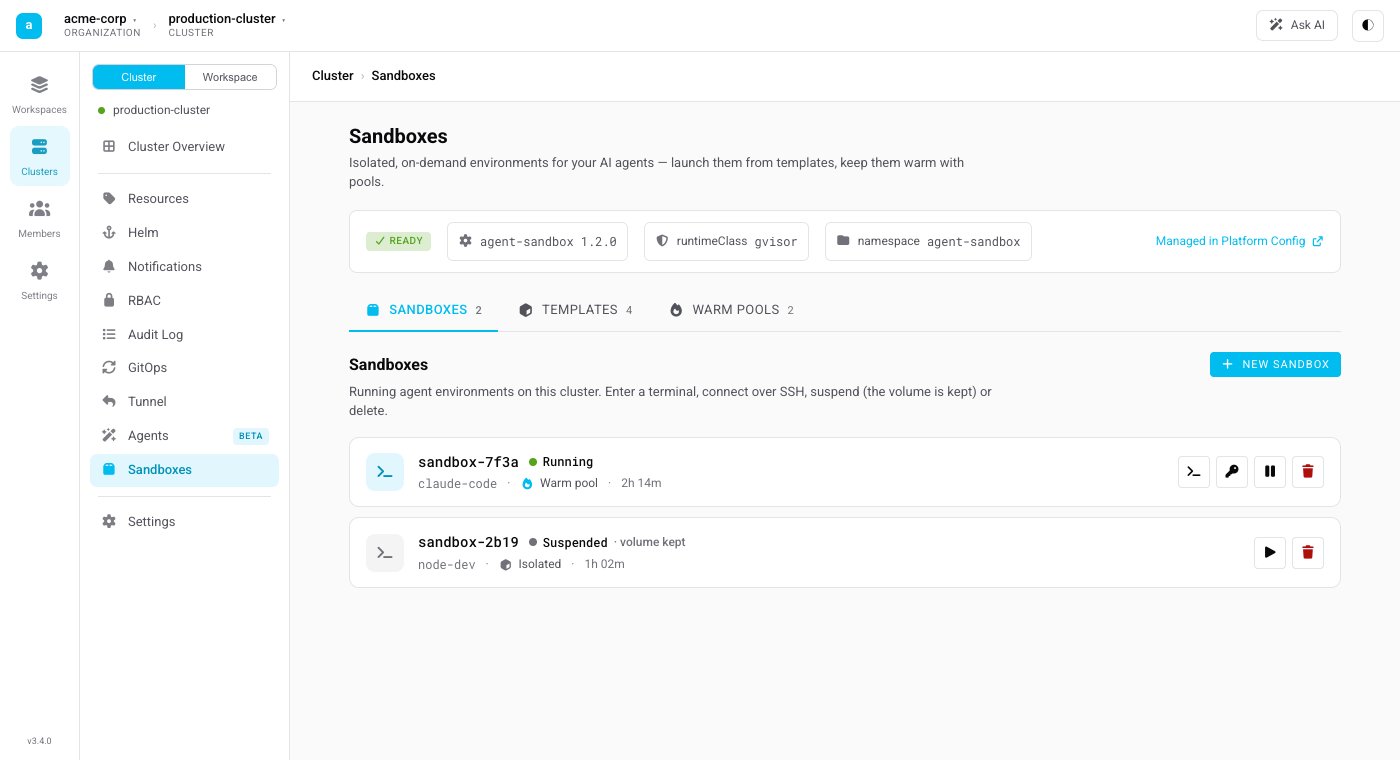 Agent Sandbox is built on the Kubernetes SIG [`agent-sandbox`](https://github.com/kubernetes-sigs/agent-sandbox) project. There is no proprietary runtime and no lock-in — the operator materializes standard custom resources, and mogenius adds the access, governance, and tooling around them.
## Two ways to run
Agent Sandbox fits both common agent setups:
* **Agent outside, code inside** — the agent runs in your IDE or a CI pipeline and requests a sandbox when it needs to execute something. The generated code runs only inside the sandbox, never on the machine that launched it. A single call creates the sandbox, runs the command, and tears it down.
* **Agent inside the sandbox** — the whole agent runs within the sandbox (for example an OpenCode-style CLI), talking to a model through an endpoint you choose, including self-hosted models. Nothing persists beyond the sandbox's lifetime.
## How it relates to AI on mogenius
Agent Sandbox sits alongside the rest of the [AI capabilities](/ai/overview):
* **[Agents](/ai/agents)** are autonomous AI workers that watch your cluster and file proposals you review.
* **Agent Sandbox** is where agent-generated or otherwise untrusted code *executes* — an isolated runtime, not an agent itself.
The two are complementary: use Agents to reason about your cluster, and Agent Sandbox to run code safely.
## Explore
Templates, warm pools, sandboxes, the lifecycle, and the isolation model.
Turn Agent Sandbox on through the Platform Config — the admin's setup.
Create and work with sandboxes from your workspace and the CLI.
Provision and drive sandboxes programmatically with `@mogenius/sandbox`.
This documentation is built and hosted on [Mintlify](https://mintlify.com), a developer documentation platform.
Agent Sandbox is built on the Kubernetes SIG [`agent-sandbox`](https://github.com/kubernetes-sigs/agent-sandbox) project. There is no proprietary runtime and no lock-in — the operator materializes standard custom resources, and mogenius adds the access, governance, and tooling around them.
## Two ways to run
Agent Sandbox fits both common agent setups:
* **Agent outside, code inside** — the agent runs in your IDE or a CI pipeline and requests a sandbox when it needs to execute something. The generated code runs only inside the sandbox, never on the machine that launched it. A single call creates the sandbox, runs the command, and tears it down.
* **Agent inside the sandbox** — the whole agent runs within the sandbox (for example an OpenCode-style CLI), talking to a model through an endpoint you choose, including self-hosted models. Nothing persists beyond the sandbox's lifetime.
## How it relates to AI on mogenius
Agent Sandbox sits alongside the rest of the [AI capabilities](/ai/overview):
* **[Agents](/ai/agents)** are autonomous AI workers that watch your cluster and file proposals you review.
* **Agent Sandbox** is where agent-generated or otherwise untrusted code *executes* — an isolated runtime, not an agent itself.
The two are complementary: use Agents to reason about your cluster, and Agent Sandbox to run code safely.
## Explore
Templates, warm pools, sandboxes, the lifecycle, and the isolation model.
Turn Agent Sandbox on through the Platform Config — the admin's setup.
Create and work with sandboxes from your workspace and the CLI.
Provision and drive sandboxes programmatically with `@mogenius/sandbox`.
This documentation is built and hosted on [Mintlify](https://mintlify.com), a developer documentation platform.