> ## Documentation Index
> Fetch the complete documentation index at: https://docs.mogenius.com/llms.txt
> Use this file to discover all available pages before exploring further.
# AI Insights
> Automated AI-powered troubleshooting reports for Kubernetes workload issues.
AI Insights is an automated monitoring feature that detects issues in your Kubernetes workloads and generates detailed troubleshooting reports. It runs inside the mogenius operator and continuously watches for events that indicate problems — such as crash loops, failed deployments, or resource constraints.
When an issue is detected, the AI agent automatically:
* Summarizes the issue
* Explains why it happened
* Proposes a solution
* If approved by a human, applies the solution
 AI Insights requires a connected AI model. If you haven't configured one yet, see [AI Setup](/ai/setup).
## How It Works
AI Insights operates based on event and status processing in the mogenius operator. It uses filters to define which events it should track. When an event occurs (e.g., a Pod enters a `CrashLoopBackOff` state), the agent launches an analysis. Depending on the error type, it automatically retrieves the necessary logs, events, and manifests from your cluster to understand the issue.
The agent uses the tools configured in [AI Setup](/ai/setup#tools) to gather context — including Kubernetes resources, Helm releases, and GitHub repositories if connected. When a [Memory Repository](/ai/setup#memory-repository) is enabled, the agent can also reference knowledge from previous analyses to provide more accurate diagnoses.
It then generates a detailed report explaining the root cause and offers step-by-step solutions within mogenius.
## Accessing the Reports
All reports are stored locally on your cluster and assigned a status to indicate their progress:
* **Pending**: An event triggered the AI agent and is queued for processing.
* **In progress**: The agent is currently generating the report.
* **Completed**: The report is finished and ready for review.
* **Ignored**: The report was dismissed by a user and won't be shown on dashboards or resource pages.
* **Resolved**: The proposed solution was accepted and the issue resolved.
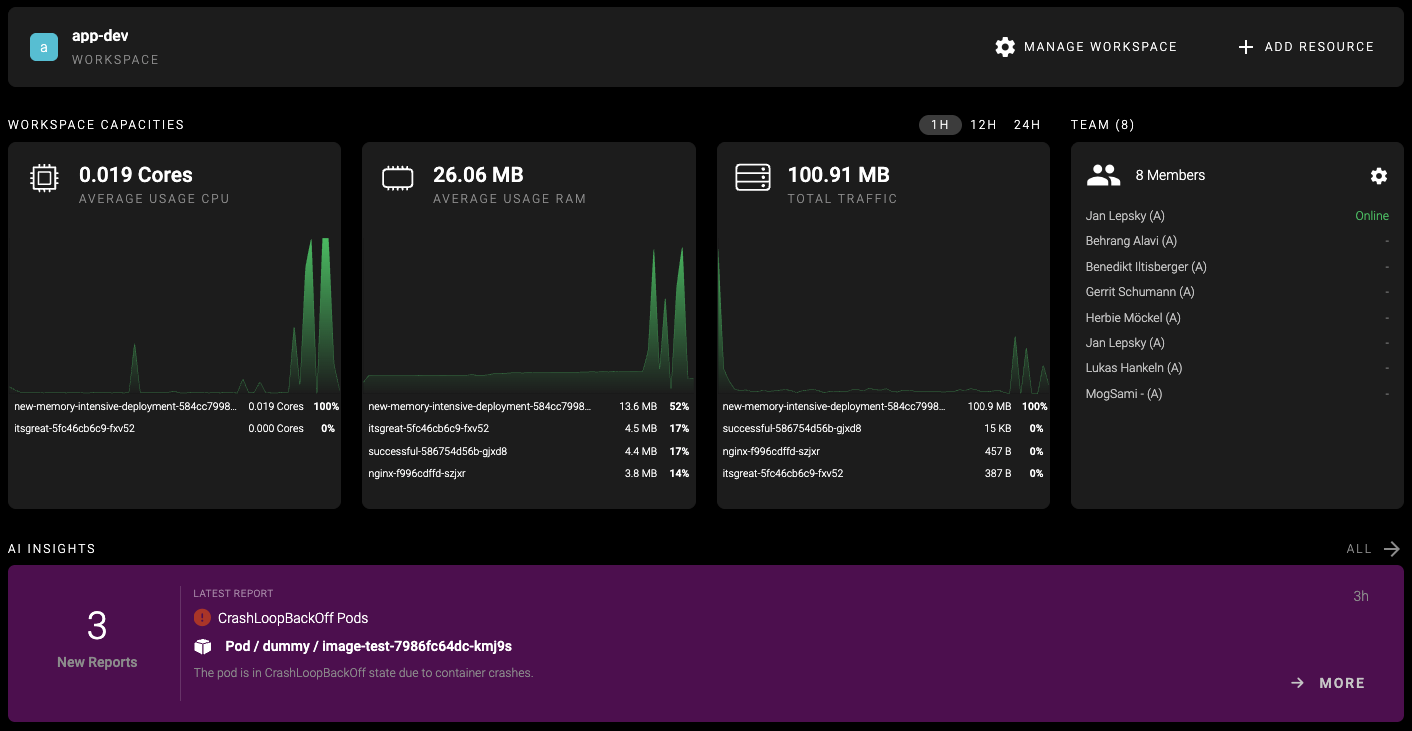
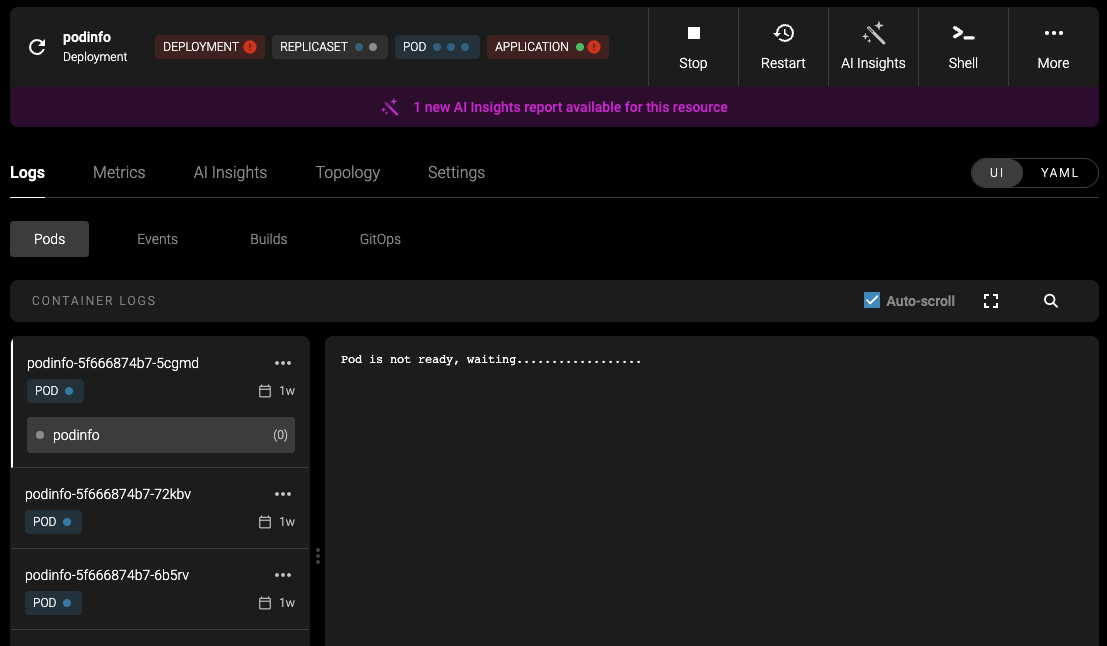
You can access AI Reports from your **Clusters** page or within each **Workspace**. In Workspaces, reports are filtered to display only resources included in that workspace. When viewing a specific resource, a banner will show if the AI agent has detected an issue.
AI Insights requires a connected AI model. If you haven't configured one yet, see [AI Setup](/ai/setup).
## How It Works
AI Insights operates based on event and status processing in the mogenius operator. It uses filters to define which events it should track. When an event occurs (e.g., a Pod enters a `CrashLoopBackOff` state), the agent launches an analysis. Depending on the error type, it automatically retrieves the necessary logs, events, and manifests from your cluster to understand the issue.
The agent uses the tools configured in [AI Setup](/ai/setup#tools) to gather context — including Kubernetes resources, Helm releases, and GitHub repositories if connected. When a [Memory Repository](/ai/setup#memory-repository) is enabled, the agent can also reference knowledge from previous analyses to provide more accurate diagnoses.
It then generates a detailed report explaining the root cause and offers step-by-step solutions within mogenius.
## Accessing the Reports
All reports are stored locally on your cluster and assigned a status to indicate their progress:
* **Pending**: An event triggered the AI agent and is queued for processing.
* **In progress**: The agent is currently generating the report.
* **Completed**: The report is finished and ready for review.
* **Ignored**: The report was dismissed by a user and won't be shown on dashboards or resource pages.
* **Resolved**: The proposed solution was accepted and the issue resolved.
You can access AI Reports from your **Clusters** page or within each **Workspace**. In Workspaces, reports are filtered to display only resources included in that workspace. When viewing a specific resource, a banner will show if the AI agent has detected an issue.
 ## Resolving Issues
If the AI agent is confident in a solution, it will provide a proposed **Solution** at the top of the report. You can review the suggestion with a visual diff between your current YAML manifest and the AI-generated version. If approved, mogenius will apply the solution and archive the report.
Alternatively, you can **Ignore** a report to move it out of your **New Reports** inbox. It will appear under **All Reports** and will no longer show in dashboards or resource detail views.
## Resolving Issues
If the AI agent is confident in a solution, it will provide a proposed **Solution** at the top of the report. You can review the suggestion with a visual diff between your current YAML manifest and the AI-generated version. If approved, mogenius will apply the solution and archive the report.
Alternatively, you can **Ignore** a report to move it out of your **New Reports** inbox. It will appear under **All Reports** and will no longer show in dashboards or resource detail views.