

Create a sandbox
Creating a sandbox starts from a template. You choose how it is provisioned:- From a warm pool — claim a ready sandbox for the template. This is instant when the pool has capacity.
- Isolated — create a fresh sandbox on demand, independent of any warm pool.
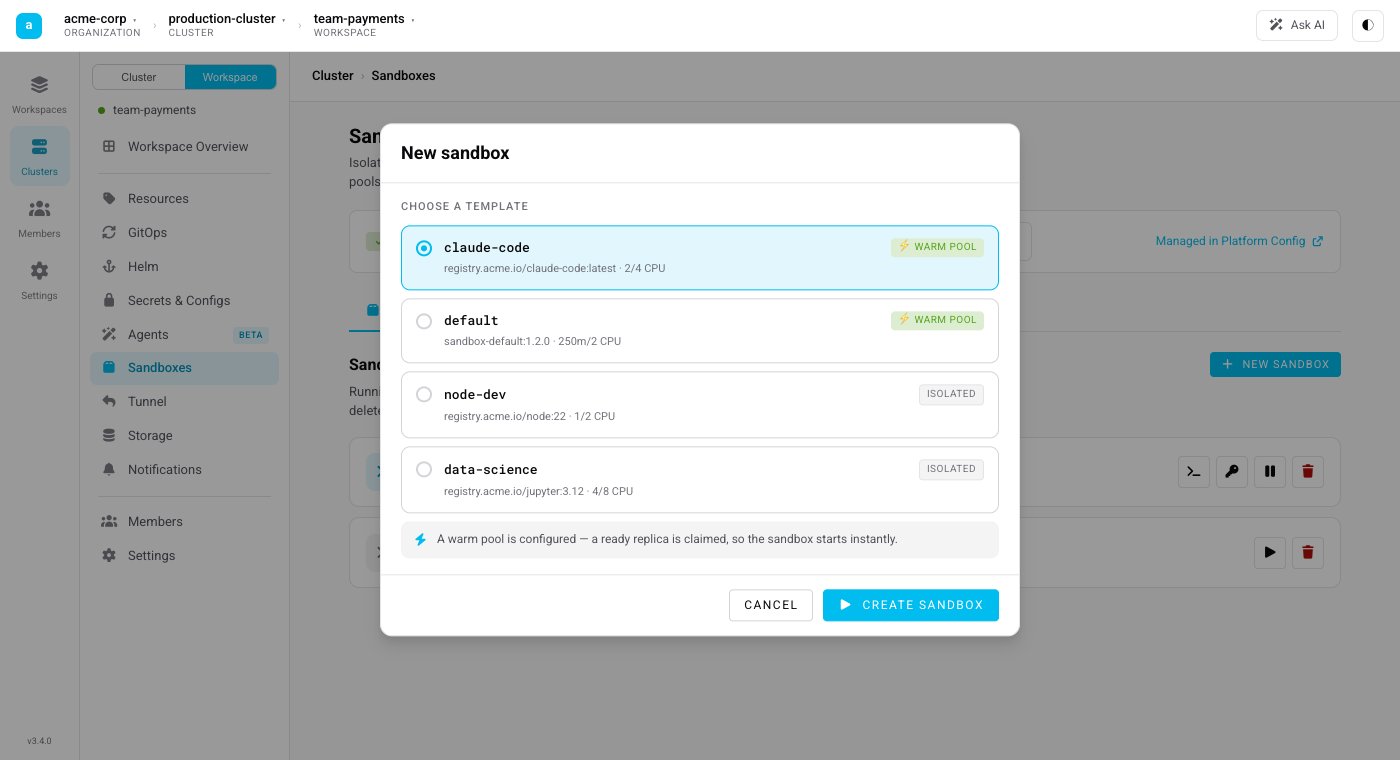
Creating a sandbox in a workspace: pick a template — those backed by a warm pool start instantly, the rest are provisioned in isolation on demand.
Work inside it
Once a sandbox is running you can:- Open a terminal — an interactive shell straight to the sandbox in your browser.
- Connect over SSH — copy the SSH command to attach your local tools or an agent to the sandbox.
- Move files — upload and download files to and from the sandbox.
- Expose ports — reach a service running inside the sandbox through a preview link.
Stop or delete
- Stop keeps the persistent workspace volume, so you can resume the environment later with its files intact.
- Delete tears the sandbox down completely.
From the CLI
mocli can create a sandbox, list the ones you have, and drop you straight into one:
Prefer to drive sandboxes from your own code or an agent framework? Use the SDK to create, exec, and tear down sandboxes programmatically.